


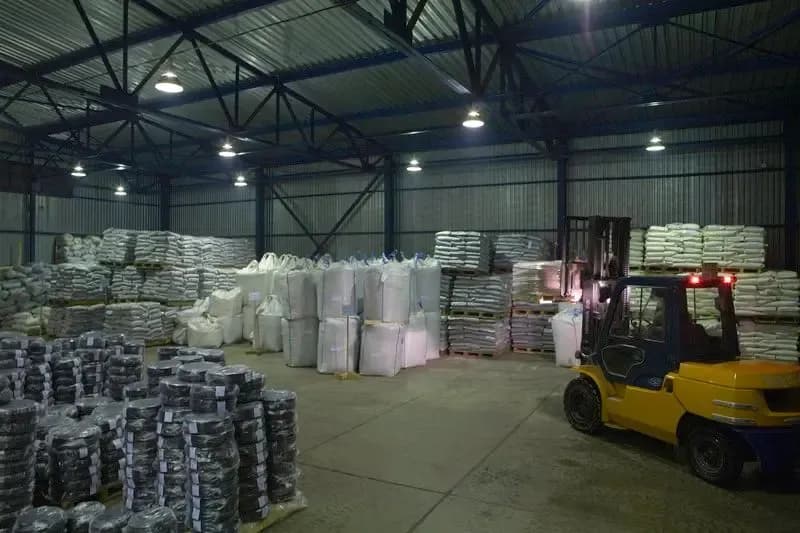
Short answer: Odoo Inventory is the warehouse management module of Odoo ERP. It records every stock movement (receipts, deliveries, internal transfers) in real time, shows stock across all warehouses and branches in one database, tracks lots, serial numbers and expiry dates, creates purchase requests automatically when stock falls below a minimum, and passes stock value to accounting. Because it shares one database with sales, purchasing, manufacturing and accounting, data is entered only once.
Warehouse chaos is one of the most expensive problems a trading or manufacturing business can have. Stock kept on paper, in Excel or in disconnected programs drifts away from reality fast. Salespeople sell goods that are gone, branches cannot see the central warehouse, expiring batches are forgotten, and purchasing runs on gut feeling. The result is over-purchasing or stock-outs, and inaccurate stock records turn directly into lost profit.
This article is not about warehouse accounting theory; we covered that in How to run warehouse accounting. Here we look at one tool: how the Odoo Inventory module works, what to configure in it, and how to roll it out.
What is the Odoo Inventory module?
Odoo Inventory is the Odoo ERP app for managing warehouses and stock: it tracks the quantity, location, movement and value of every product in real time. In Uzbekistan many people call it "Odoo Sklad", from the Russian word for warehouse; it is the same module.
It matters most for wholesale and distribution, retail chains, manufacturers, food and pharmaceutical businesses, and online stores.
The Inventory app is included in both the free Community edition and the paid Enterprise edition. The difference lies in extra tools: the dedicated Barcode app, for example, is Enterprise-only. More on the editions: Odoo Community vs Enterprise.
How does Odoo Inventory work?
In Odoo, every stock movement is a transfer from one location to another; even a receipt from a supplier and a delivery to a customer pass through "virtual" locations. So stock never simply vanishes: its source and destination are always visible.
Key concepts:
- Product. A storable item, a consumable or a service, with an internal reference (SKU), barcode, unit of measure, category and, where needed, an MXIK (IKPU) code. On SKUs versus article numbers: What is an SKU.
- Warehouse and location. A warehouse is a building or branch; a location is a zone, shelf or bin inside it.
- Virtual locations. "Vendors", "Customers", "Inventory adjustment" and "Production", where goods enter or leave the company.
- Transfer. Every operation (receipt, delivery, internal move, pick, pack, return) is a document to validate, for example WH/IN/00125.
In practice: a salesperson confirms an order in Sales, and Odoo creates a delivery and reserves the goods. The storekeeper picks the order and validates it. Stock drops, the cost of goods is recorded, and the salesperson sees the delivery status. Nobody retypes anything. For the sales and purchasing side, see Odoo Sales and Purchase.
How do you set up warehouses, locations and routes?
A route is a set of rules that defines which locations a product passes through between receipt and delivery. Good routes end the daily "where do I put this?" question.
Multiple warehouses and branches
Odoo has no limit on warehouses. A central warehouse in Tashkent, branch warehouses in Samarkand and Fergana, and each shop can be separate warehouses in one database. Management sees everything on one screen, and a branch can request stock from the centre through a resupply route.
How many steps should receipts and deliveries have?
You choose the flow per warehouse:
- Receipts: 1 step (straight into stock, fine for small warehouses), 2 steps (input zone, then storage) or 3 steps (input, quality control, storage; useful for food and pharma).
- Deliveries: 1 step (ship directly), 2 steps (pick, then ship) or 3 steps (pick, pack, ship; suits wholesale and e-commerce with many orders).
Putaway rules and removal strategies
- Putaway rules. For example, every product in the "Beverages" category goes to zone B on receipt.
- Removal strategies. FIFO (first in, first out), LIFO, FEFO (first expired, first out), closest location and least packages, set per product category or per location.
Other routes cover buying, manufacturing, resupply between warehouses, make-to-order (MTO) and dropshipping.
How are lots and serial numbers tracked?
A lot is a group of items produced or received together; a serial number identifies one single unit. For each product you choose: no tracking, by lot, or by serial number.
- Traceability. One report shows which supplier a lot came from and which customers bought it. If there is a quality issue, you recall only that lot.
- Warranty and service. For electronics and appliances, the serial number shows when and to whom a unit was sold.
- Manufacturing. You see which raw material lots went into a batch of finished goods.
How does Odoo control expiry dates?
Odoo's expiry date feature uses dates linked to each lot to flag goods close to expiring and help you sell them first.
When it is on, a product gets four dates, each calculated from the receipt date:
- Expiration date: when the product is no longer fit for use.
- Best before date: when quality starts to decline.
- Removal date: when the product should come off sale.
- Alert date: when the system warns the responsible person.
With the FEFO strategy, Odoo reserves the lot with the nearest expiry first. Lots close to expiry show up separately in reports, so a discount, return or write-off can be decided in time. This is essential for food, cosmetics and medicines.
Reordering rules: how do you automate purchasing at minimum stock?
A reordering rule (min/max) tells Odoo to create a purchase or manufacturing order as soon as forecasted stock drops below the minimum, bringing it back up to the maximum.
Example (illustrative figures): washing powder has a minimum of 200 units and a maximum of 1,000. Counting current stock and expected receipts and deliveries, the forecast falls to 180. Odoo creates a draft request for quotation (RFQ) for 820 units with the main supplier, and the buyer checks and confirms it.
What to configure:
- Trigger. Automatic (the scheduler creates documents) or manual (the buyer reviews suggestions on the Replenishment screen).
- Lead times. The supplier's lead time is included, so the order goes out before the shelf is empty.
- Order multiples. For example, only in boxes of 24.
- Source. Purchase for bought-in goods, a manufacturing order for your own products, a transfer from the central warehouse for a branch.
How do barcodes and product marking work in Odoo?
In Odoo, barcodes are assigned to products, locations, lots and documents, and the Barcode app lets staff receive, pick, move and count stock with a scanner.
- Hardware. USB or Bluetooth scanners, Android mobile computers, and in the Barcode app even a smartphone camera.
- GS1 barcodes. One code can carry the product, lot and expiry date.
- Fewer errors. Scan the wrong product or quantity, and the system warns you at once.
- Edition. The Barcode app is part of Enterprise. Community lets you store barcodes and search with a scanner, but has no dedicated scanning interface.
In Uzbekistan, Asl Belgisi digital marking is mandatory for many product groups, and marking codes must be recorded on receipt and shipment. Deep Vision has a ready-made Odoo module for Asl Belgisi that works with warehouse operations. More: Asl Belgisi guide.
How does Odoo value stock and pass costs to accounting?
Inventory valuation is the monetary value of your stock; Odoo recalculates it with every movement and, depending on settings, creates the accounting entries itself.
Two settings are chosen per product category:
- Costing method: standard price, average cost (AVCO) or FIFO. The differences are explained in our warehouse accounting guide.
- Valuation mode: periodic (entries at period close) or perpetual (entries created automatically). Exact labels vary slightly between Odoo versions.
A key point for Uzbekistan is imports. If you buy in dollars or euros, Odoo converts to sum at the exchange rate, and the Landed Costs feature spreads customs duties, freight and other extras over product costs. Your margin reports then reflect the real cost. For the finance side: Odoo Accounting module.
How do you run a stock count in Odoo?
A stock count in Odoo compares recorded stock with a physical count and posts the difference as a document, for the whole warehouse or location by location.
- On the Physical Inventory screen, select the locations, categories or products to count.
- The storekeeper counts with a scanner or a printed sheet.
- Counted quantities are entered, and differences appear immediately.
- A supervisor applies the result, and shortages, surpluses and stock value are corrected.
For cycle counting, set a count frequency per location, for example every 30 days. Part of the warehouse is counted each week without closing it.
What reports does Odoo Inventory provide?
Odoo Inventory reports show stock, movements, forecasts and stock value in real time; each can be filtered, grouped and exported to Excel.
- Stock on hand: by warehouse, location, lot and category.
- Moves history: who moved what, when, and from where to where.
- Forecasted stock: expected stock including incoming goods and confirmed sales.
- Stock valuation: how much money is tied up in stock, by category.
- Expiry: lots about to expire or already expired.
- Slow movers: items with no movement, found with filters.
How does Odoo Inventory connect to other modules and Uzbek systems?
The real strength of Odoo Inventory is that it is not a separate program but a module sharing one database with sales, purchasing, manufacturing, point of sale and accounting.
- Sales: confirming an order creates a delivery, and the salesperson sees stock before promising anything.
- Purchasing: receipts come from purchase orders and are matched against the order and vendor bill.
- Manufacturing: raw materials are reserved and consumed, finished goods go into stock.
- Point of sale and online store: every sale reduces stock.
- E-invoicing: invoices for shipped goods go through Didox, using Deep Vision's ready-made module. Products need MXIK codes.
- Moving from Excel or 1C: the catalogue and opening balances are loaded through import templates.
How to implement Odoo Inventory: a step-by-step plan
Rolling out the inventory module starts not with installing software but with cleaning up your product catalogue.
- Process review. Document how receipts, deliveries, returns, branch transfers and counts work today.
- Catalogue clean-up. Remove duplicates; give every product an SKU, barcode, unit of measure, category and MXIK code.
- Warehouse structure. Define warehouses, zones, shelves and codes.
- Routes and steps. Decide how many steps receipts and deliveries need.
- Costing and valuation. Agree them per category with your accountant.
- Tracking. Decide which products use lots, serial numbers or expiry dates.
- Reordering rules. Set min/max levels and suppliers for key products.
- Opening balances. Count everything on the cut-over date and import the result.
- Hardware test. Try scanners, printers and labels on real operations.
- Training and go-live. Hands-on sessions for each role and close support in the first weeks.
In our experience, standard Sales and Inventory modules often go live in 6–8 weeks. With manufacturing, several branches and integrations, a project usually takes 2–6 months.
Pre-launch checklist
- Every product has a unique SKU and barcode, with no duplicates.
- Units of measure are defined; if you buy in boxes and sell in pieces, the ratio is set.
- Warehouses and locations are listed with codes.
- You know which products are tracked by lot, serial number or expiry date.
- Your accountant has approved the costing method.
- Key products have minimum and maximum stock levels.
- Products subject to marking and their MXIK codes are listed.
- The opening balance date and count plan are fixed.
How can Deep Vision help?
Deep Vision is an official Odoo Gold Partner in Tashkent; we implement Odoo Inventory end to end, from warehouse process analysis to configuration, data migration, integrations and staff training.
- Team. 7 certified Odoo specialists and 26 client projects listed in the Odoo partner catalogue.
- Ready-made modules for Uzbekistan. Asl Belgisi marking and e-invoicing through Didox.
- Data migration. We clean and import your catalogue and stock from Excel or 1C.
Our clients include Optika.uz, Timsoll and RockBeton. Timsoll manages more than 7,000 SKUs in Odoo: the Timsoll case. Service details: Odoo implementation.
Not sure which settings your warehouse needs? Fill in a short brief and we will recommend a setup.
Frequently asked questions
Are Odoo Sklad and Odoo Inventory the same thing?
Yes. "Sklad" is Russian for warehouse, and many people in Uzbekistan use it for Odoo's Inventory module.
Is Odoo Inventory free?
The Inventory app is part of the free Community edition, which you can host yourself. Enterprise charges a licence per user and adds apps such as Barcode. Either way, implementation and training are separate costs.
Can you run several branch warehouses in one system?
Yes. Each branch is its own warehouse, and stock is visible per branch and in total. Transfers between branches are documented, and goods in transit sit in a transit location.
Can a regular phone replace a barcode scanner?
Yes, the Enterprise Barcode app can scan with a smartphone camera. With hundreds of operations a day, a dedicated scanner is faster.
How do you stop expired goods from being sold?
Track the product by lot with expiry dates, use the FEFO removal strategy and set an alert date. Odoo then hands out the nearest-expiry lots first and flags expiring stock in advance.
How do you move stock balances from Excel to Odoo?
Clean the product catalogue and import it with an Odoo template. Then count stock on the cut-over date and load opening balances by warehouse, location and lot.
How long does it take to launch Odoo Inventory?
Standard Sales and Inventory modules usually go live in 6–8 weeks. With several branches, manufacturing, marking and integrations, expect 2–6 months.
Does Odoo work with Asl Belgisi and Didox?
Standard Odoo has no such integrations. Deep Vision has ready-made Odoo modules for Asl Belgisi marking and Didox e-invoices that work with warehouse and sales documents.
Conclusion
Odoo Inventory turns every warehouse movement into a document, shows stock in real time and links purchasing, sales and accounting into one chain. The biggest gains come from setting it up well: a clean catalogue, a clear warehouse structure, sensible routes and min/max rules.
Let's plan your move to Odoo together: fill in the brief for a free consultation or call +998 77 093 00 07.